New Re:amaze Overview Report Helps Highlight Core Performance Statistics

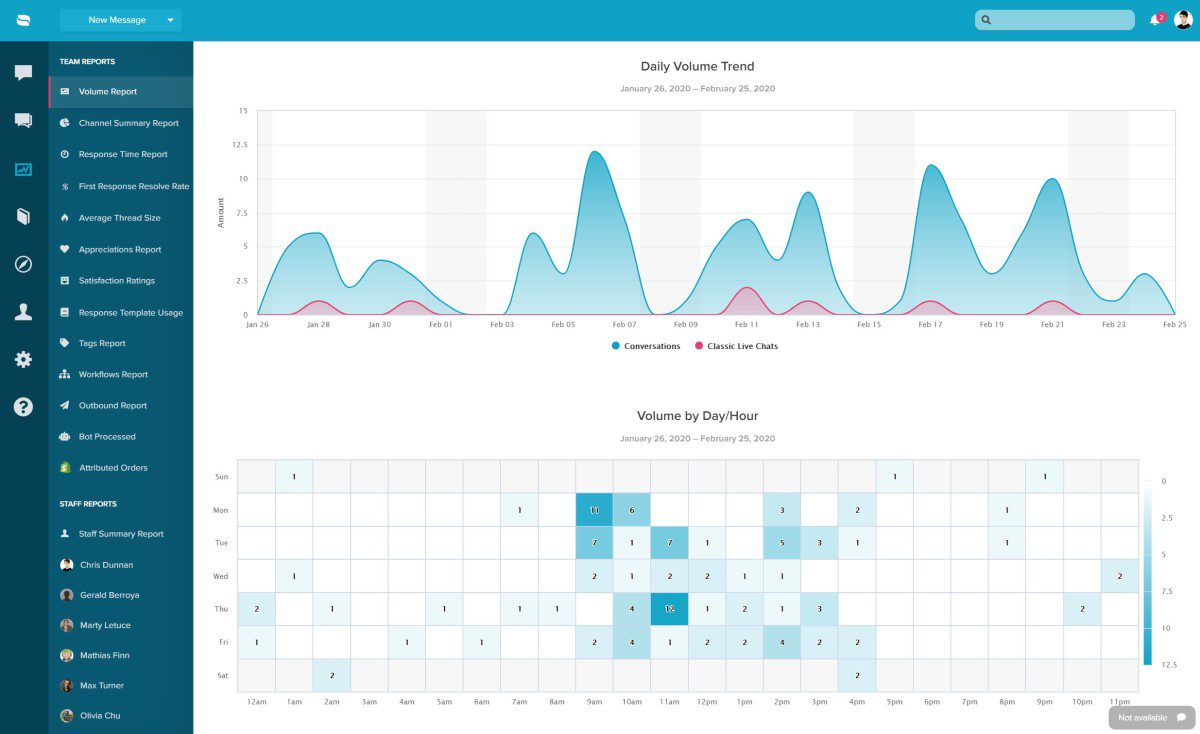
There is now a brand new Overviews Report in Re:amaze Reporting to help you gain insights into how your team is performing. The Overviews Report is accompanied by graphs with hover-over and scroll-over capabilities to help you better visualize your data as well. Some of the new metrics included in the Overviews Report include: Volume … Continue reading “New Re:amaze Overview Report Helps Highlight Core Performance Statistics”

New User Settings For Re:amaze Contacts

February 26, 2020

You may now block specific users from sending messages, unsubscribe specific users from receiving satisfaction surveys, and also unsubscribe specific users from receiving autoresponders. These controls are now accessible within your contacts’ profiles.

Re:amaze & Shopify Integration Update: Duplicate Orders and Items-In-Cart Rule

February 25, 2020

Creating Duplicate Orders You can now create a duplicate order for customers directly in Re:amaze when using the Shopify integration. This latest update will allow you to duplicate an existing customer order. On each order, click the gear icon, and the ‘Duplicate order’ link. This should pre-populate the Draft Order with the same details from the order it’s being … Continue reading “Re:amaze & Shopify Integration Update: Duplicate Orders and Items-In-Cart Rule”

Introducing Re:amaze Status Page

January 28, 2020

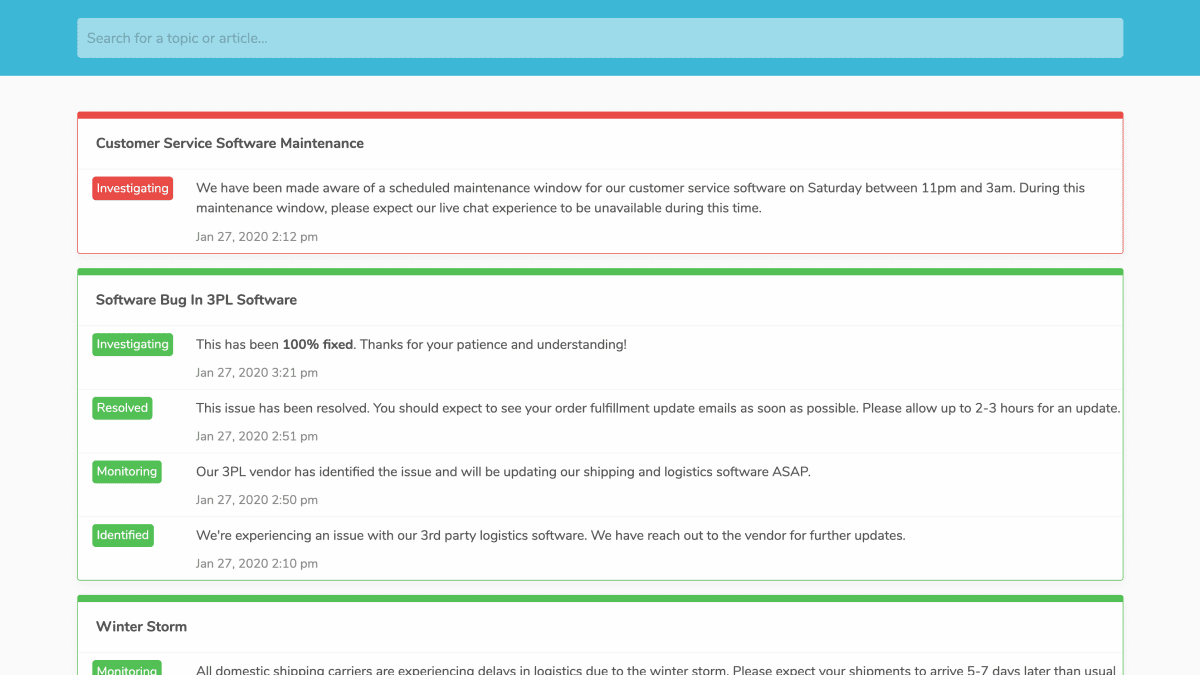
We’re super excited to announce the newest member of the Re:amaze product family: Re:amaze Status Page! What is a status page? A status page is a public facing website that helps your customer visualize your business’s performance uptime, scheduled maintenance events, unforeseen issues impacting logistics, or even bug reports and their resolution progress. Why is … Continue reading “Introducing Re:amaze Status Page”

New Permission Setting To Allow Or Disallow Personal Response Templates

Personal response templates are designed to allow your agents the freedom and flexibility to create their own most frequently used replies. However, certain types of businesses require that all response templates used to be strictly controlled and proofed. This new permission setting will allow business admins or managers to control whether or not staff members are … Continue reading “New Permission Setting To Allow Or Disallow Personal Response Templates”

Bulk Edit Your Re:amaze FAQ Article Statuses

Setting Re:amaze FAQ statuses is now easier than ever before with the new bulk “Change Status” feature. You no longer have to open up each article just to change the status from internal or draft mode to “Published”. Simply check off multiple FAQ articles from the main articles interface and click on the “Chat Status” button up above.

Re:amaze Cues Now Supports Device Type Targeting

January 14, 2020

You can now create Re:amaze Cues that target customers depending on their device type! Send automated messages to customers with unique messaging for desktop users vs. mobile users. To try this or to update your existing Cues, go to Re:amaze Settings > Website Integrations > Cues > Edit!

Browser Tab Notifications For Unread And Unresolved Conversations

January 9, 2020

In your Re:amaze account settings under “Customization”, you’ll find a new option to turn on (or off) called “Unresolved Indicator”. When checked, Re:amaze will display a red dot in the browser tab of the current Re:amaze filter you’re viewing indicating existing unresolved conversations.

Set Satisfaction Survey Delays For Messages From The Same Customer

January 7, 2020

Re:amaze Satisfaction Surveys allow you to automatically send a survey to customers once their question has been resolved. However, when a particular customer writes in multiple times through different threads, these satisfaction surveys can become overwhelming. You can now set a wait time for satisfaction surveys so customer who have written in multiple times don’t … Continue reading “Set Satisfaction Survey Delays For Messages From The Same Customer”